
Your guide to tournament night
Ready to play?
Pre-register before the tournament. Check in when you arrive.
Use your account for both registration and check-in so we can record them for the correct player. If you are prompted to sign in, sign in to continue.
Sign in to your account →1 Before you arrive
Pre-register
Find the tournament you plan to attend on the home page and tap Register. You can also find upcoming games on the Tournaments page.
Pre-registration gives us an approximate head count so we can prepare for tournament night. Thank you for helping us plan!
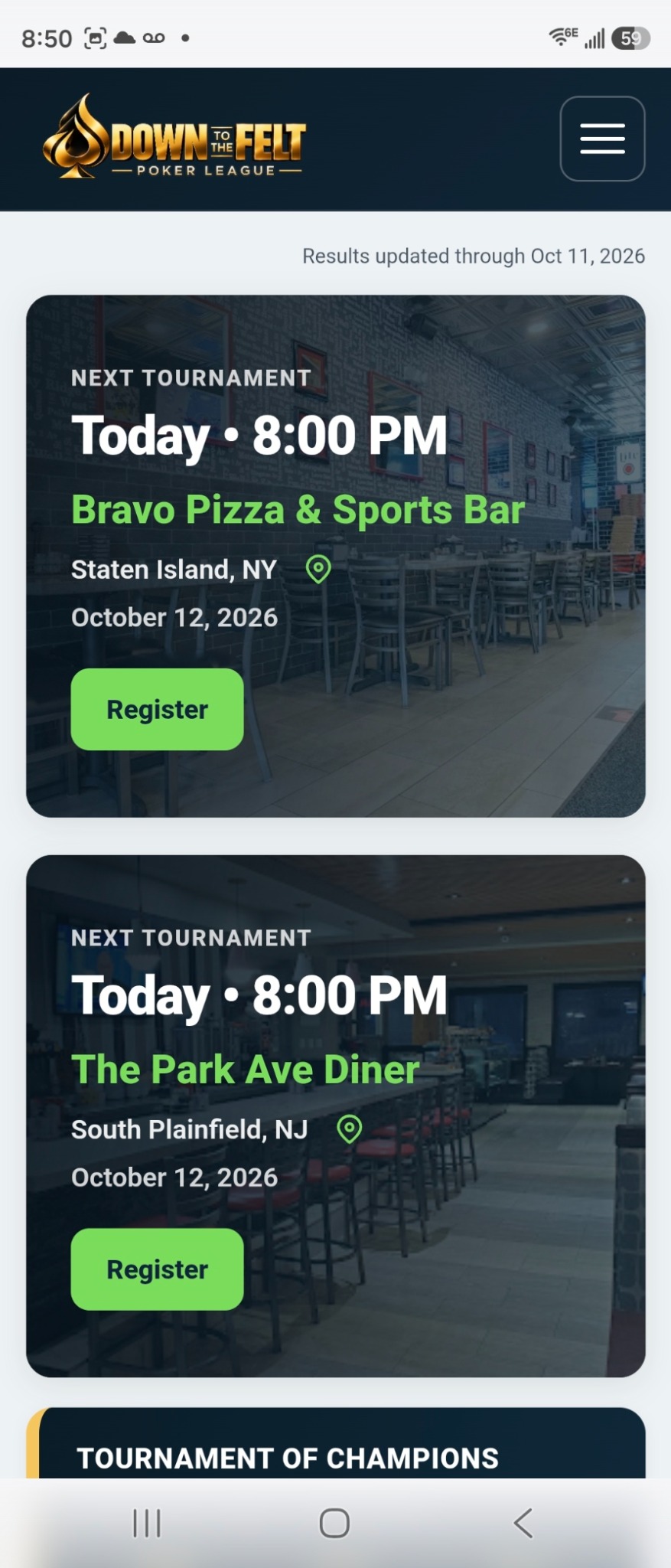
2 At the venue
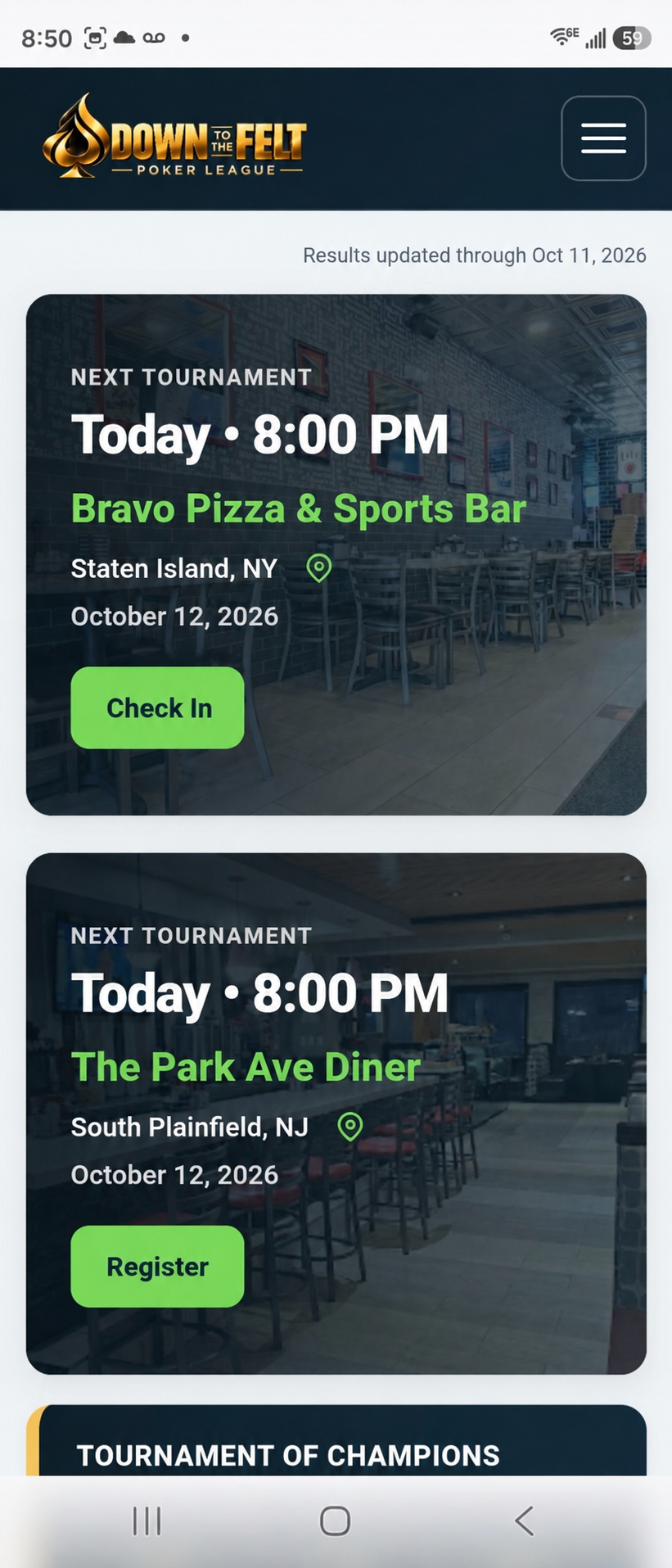
Check in with your location
When you arrive, tap Check In and allow location access when prompted. The site checks that you are within the venue's check-in area.
Prefer not to share your location? Use the QR code option instead.
Or scan the QR code
Another way to check in
Use your phone's camera to scan the rotating QR code displayed on the Tournament Director's screen, then follow the prompts to check in.
No location sharing needed. You still need to be signed in to your account.
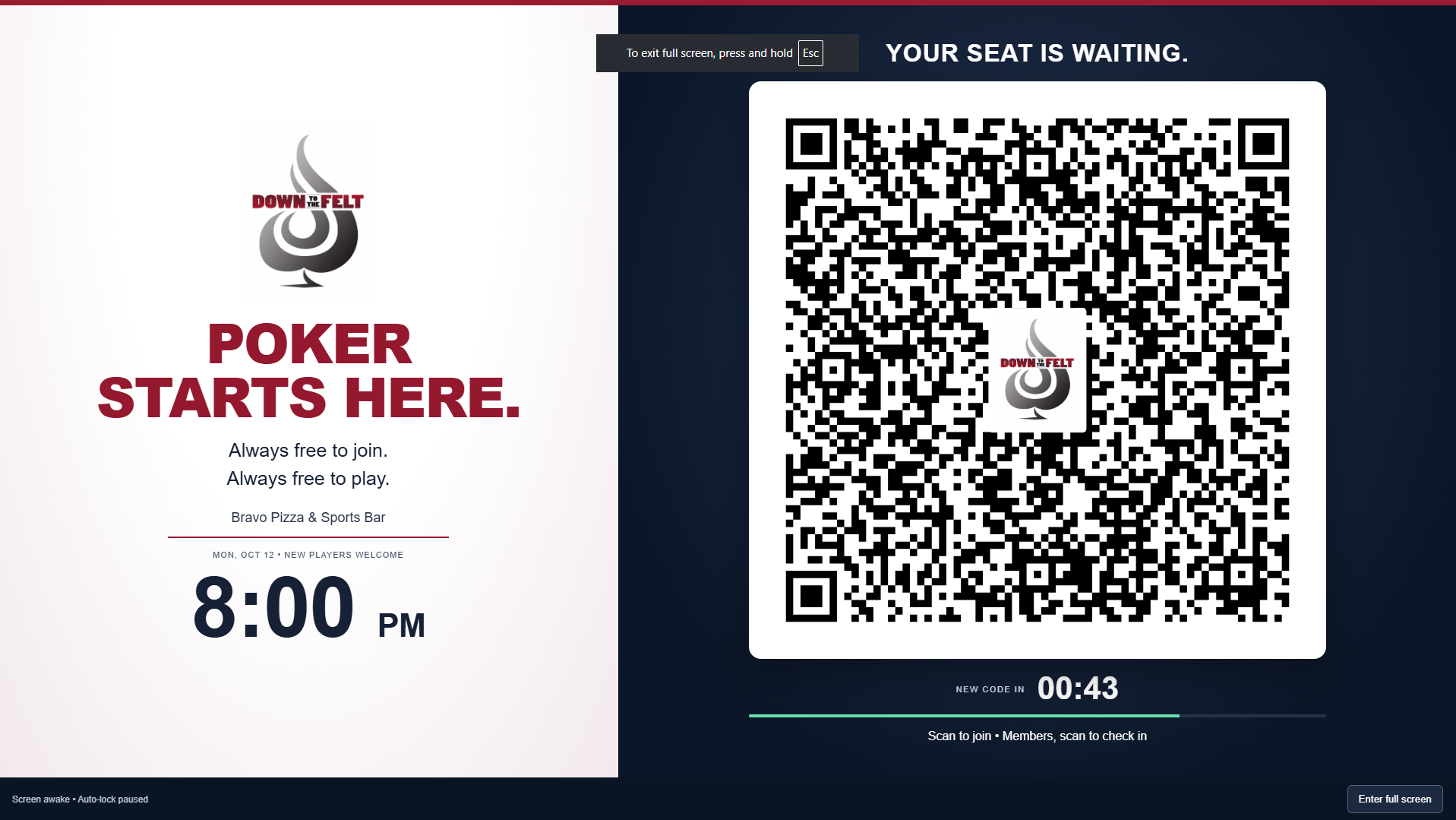
If the screen briefly says Loading, wait for the next code to appear.
Pre-registration tells us you are coming.
Check-in tells us you have arrived.
Need a hand?
Your Tournament Director will be happy to help. We look forward to seeing you at the tables!